prompt topic
Codex prompts for 3D websites
Answer in brief
To brief Codex for a 3D website, describe the scene as things it can construct and verify: geometry from named primitives or a model file, camera and light as coordinates, and the scroll sequence as a table of states. Then ask for checks that work without seeing the picture, because a coding agent may have no way to look at a rendered canvas.
The hard part of 3D with an agent is review. Build the brief so that most mistakes show up as failing numbers, and keep your own eyes for the rest.
Describe the scene as a construction
"A floating crystal" is a picture. "An icosahedron of radius 1.2, flat shaded, colour #cfd8ff, roughness 0.2, at the origin" is an instruction. Give sizes in scene units, positions as coordinates, colours in hex, and the camera's position, target and field of view. If you have a GLB file, put it in the repository and name its path.
This reads as too much detail until you see what an agent does without it: a default cube under a default light.
Make the scroll sequence a table
Write each moment as a row: scroll progress, camera position, object rotation, what the text says. Ask for the sequence to live in one data file and for one pure function that takes progress from 0 to 1 and returns the scene state.
That function can be unit tested. The agent can assert that progress 0 and progress 1 return the first and last rows, and that halfway between two rows returns values between them. Scrubbing back and forth then works by construction.
Checks that don't need eyes
Ask for a debug mode behind a query parameter that prints frame time, draw calls and the current progress. Ask for the pixel ratio to be capped, for the render loop to stop when the canvas is off screen, and for geometry and materials to be disposed on unmount. Each is a line of code the agent can point to in its report.
Then look at it yourself. No list of checks replaces opening the page and scrolling it, and the brief should say plainly that the visual review is yours.
What a 3D brief for Codex should contain
- The geometry: primitives with sizes, or a GLB path.
- Camera and lights as positions, targets and intensities.
- The scroll states as a table in one data file.
- A pure state function with unit tests.
- Performance limits: pixel ratio cap, pause off screen, dispose.
- The fallback: still images for phones and reduced motion.
A prompt to start from
Task: add a pinned, scroll-driven three.js scene to the home page of [site]. Work only in src/scene/ and src/pages/Home.tsx.

Stack: Vite + React + TypeScript, three.js, plain CSS. No other 3D or animation libraries.

Scene: a lantern built from primitives. Base: a cylinder, radius 0.6, height 0.15, colour #1b1d22, roughness 0.6. Body: four thin boxes as corner posts, height 1.4, around an inner glass cylinder, radius 0.45, colour #ffd9a0, opacity 0.35. Cap: a cone, radius 0.7, height 0.4, colour #1b1d22. Inside: a point light, colour #ffb561, intensity 0 at the start. Ground #0c0d10, the same as the page. One dim hemisphere light, intensity 0.25. Camera field of view 35, looking at (0, 0.8, 0).

Scroll states, in src/scene/states.ts, over a section 400vh tall:
- 0.00: camera (0, 1.2, 6), lantern rotation 0, light 0. Text: "[headline]".
- 0.35: camera (2.5, 1.0, 4), rotation 40 degrees, light 1.5. Text: "[line 2]".
- 0.70: camera (0, 2.6, 3), rotation 120 degrees, light 3. Text: "[line 3]".
- 1.00: camera (0, 0.9, 2.2), rotation 180 degrees, light 3. Text: "[line 4]" and the button "[label]".

Write getState(progress) as a pure function that interpolates between rows with ease-in-out, and unit test it at 0, 0.35, 0.5 and 1. Smooth the scroll input over about 0.2s.

Limits: cap the pixel ratio at 2, pause rendering when the section is off screen, dispose everything on unmount. With ?debug, show frame time and progress in a corner.

Below 720px wide, or with prefers-reduced-motion, render no canvas: show four stacked panels with the same text and the images in public/scene/.

Done when npm run build, npm run typecheck and npm run test pass. Run it, scroll down and back with ?debug, and report the numbers. I will review the look myself.
Written for this page as a starting point; swap the parts in [brackets] for your own. The full prompt of each uberdesigner template is longer and specific to one finished design, and it is tested by rebuilding the template from the prompt alone.
3D sites to start from
Finished three.js and WebGL sites on uberdesigner, each built around one object or one flight driven by scroll. vibetyper is free and the rest are Pro. Their prompts describe the scene as a construction, which is the form an agent needs.
-
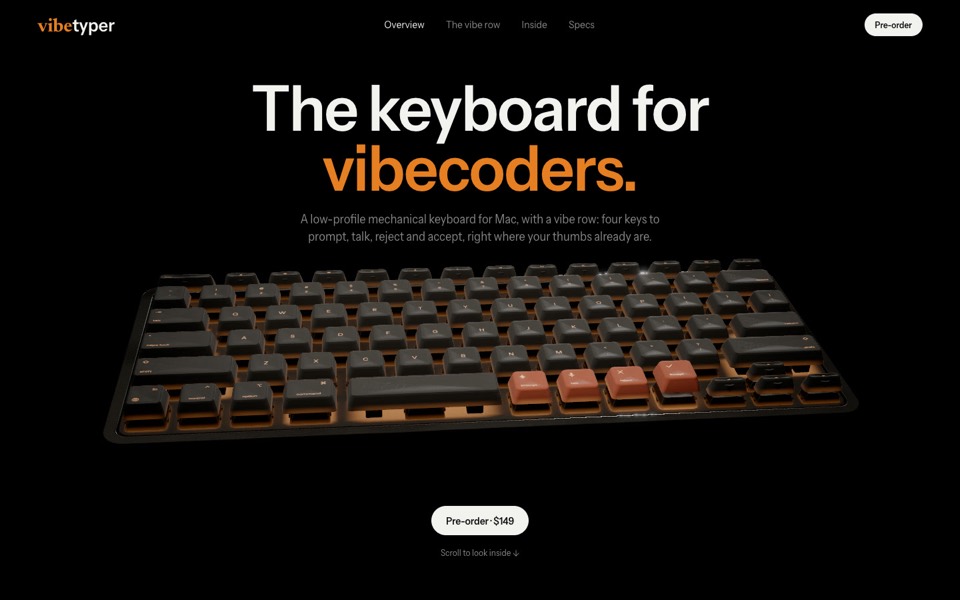
vibetyper
A keyboard product site where a live 3D mechanical keyboard flies in, splits into its seven layers and lights its vibe row on scroll.
copy its prompt on uberdesigner -
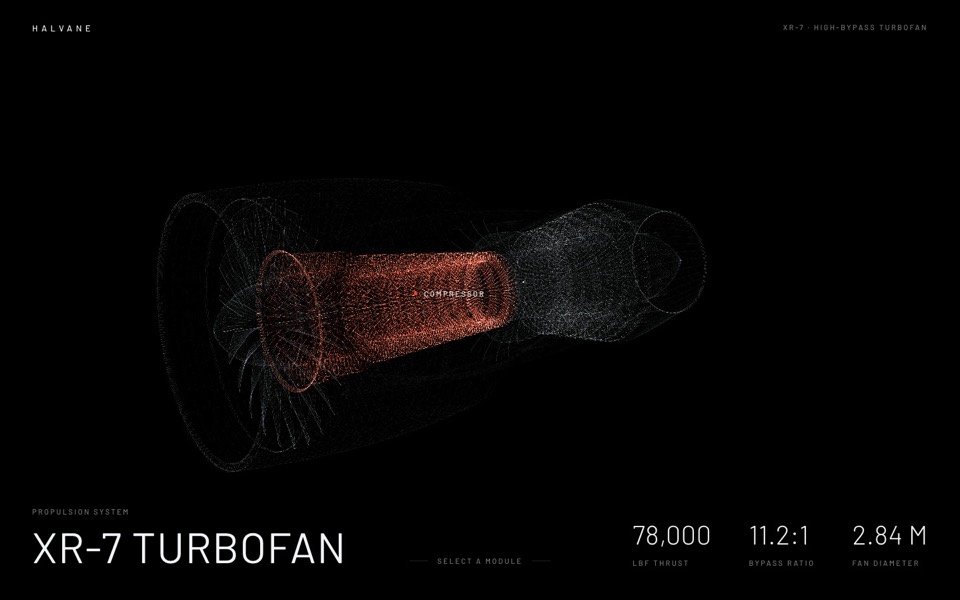
halvane
A jet engine drawn from 380,000 points of light: hover a module, click to fly in and take it apart.
see it on uberdesigner -
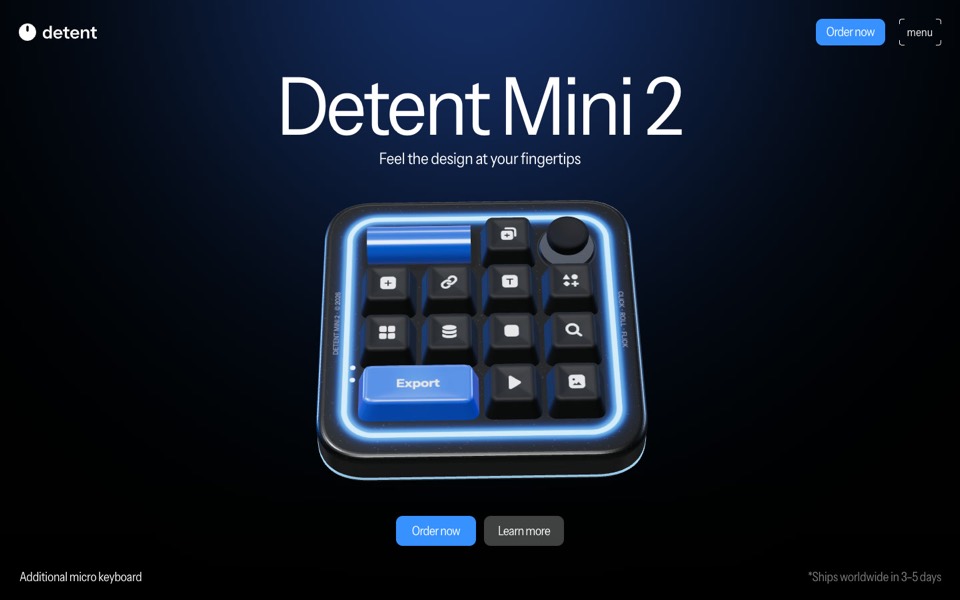
detent
A product site for a glowing macro pad, a real-time 3D model that turns, presses its keys and opens a radial menu as you scroll.
see it on uberdesigner -
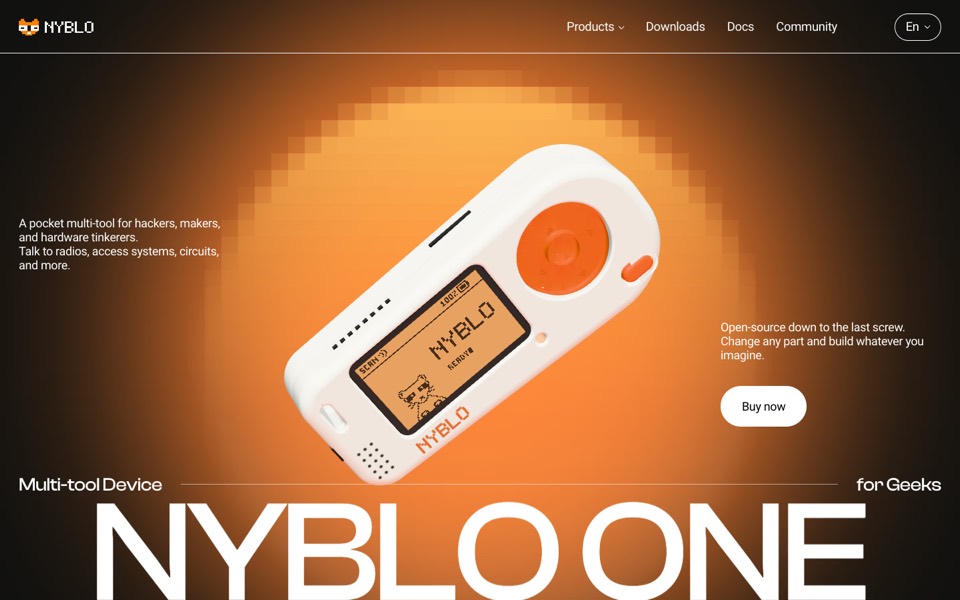
nyblo one
A gadget product page where a live 3D device turns in a pixel glow, gets four pinned callouts and comes apart on scroll.
see it on uberdesigner -
keycap sphere
A scroll-driven WebGL site: a sphere of 77 keycaps over a mountain valley breaks apart ring by ring, the light core flares, and ten keys fly out to spell MAKE IT REAL, then MATERIAL.
see it on uberdesigner -
ostrel
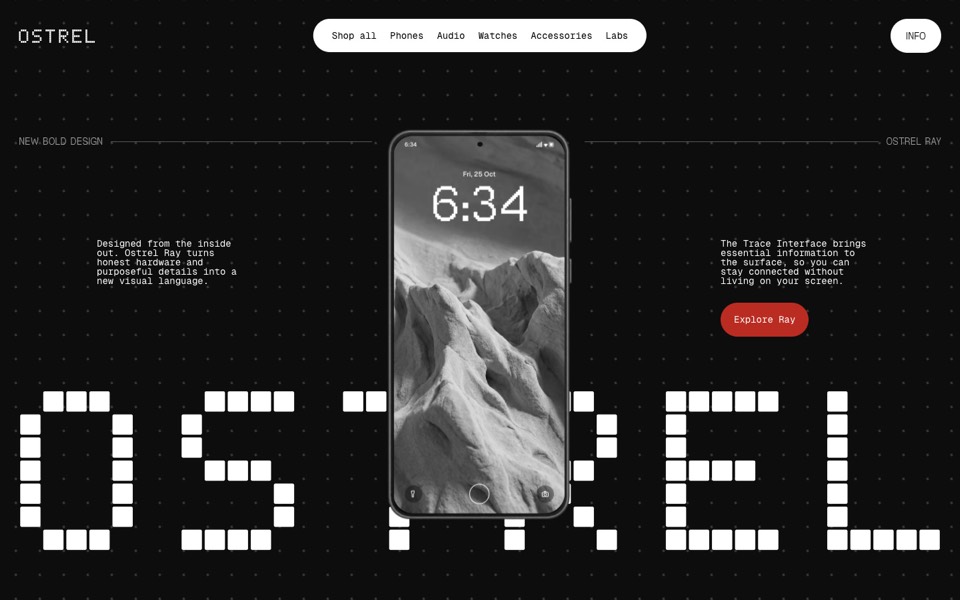
A phone launch site where an X-ray scan becomes a glowing phone, a giant pixel wordmark builds behind it and the phone turns to its screen.
see it on uberdesigner -
isvark
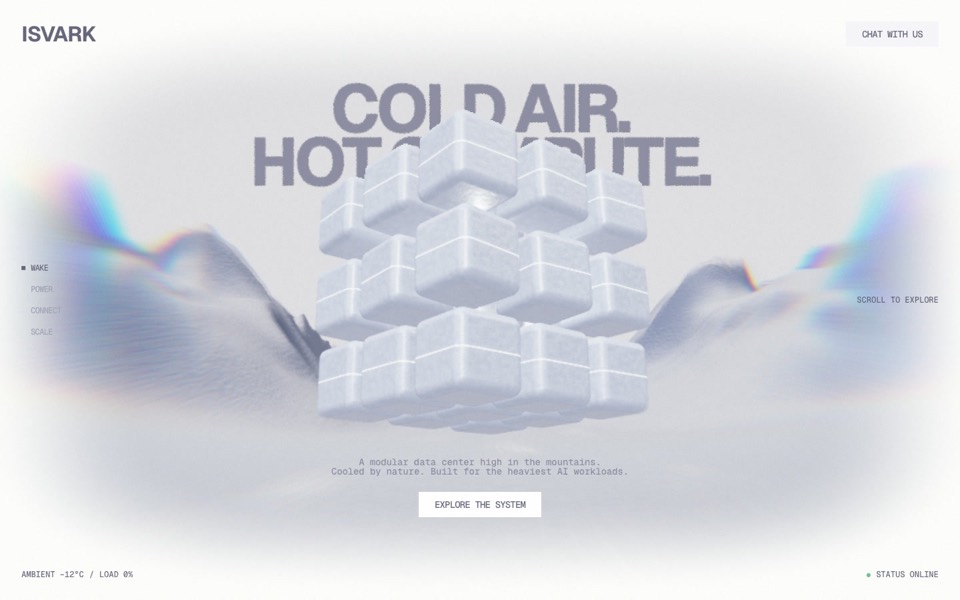
A scroll story for a modular data centre in the mountains: a 3D cube of ice modules opens, flies a gorge and docks as clusters, live in WebGL.
see it on uberdesigner

Questions and answers
Can Codex build a 3D scene without a model file?
Yes, if the object can be described with primitives: boxes, cylinders, spheres, cones and simple extrusions. For an organic or branded object you need a model. Put the GLB in the repository and give its path and its real-world size.
How do I review a 3D build if the agent can't see it?
Split the review. The agent proves what can be computed: the state function, the limits, a clean build. You open the page, scroll it both ways and send what's wrong as small follow-up tasks with the scroll position named.
Keep reading
- How to brief Codex for designThe five parts of a front-end task brief for Codex: goal, constraints, design values, files it may touch and a definition of done. With a skeleton to copy.
- Using the uberdesigner MCP server in CodexHow to connect the uberdesigner template library to Codex over MCP with two terminal commands, and what to ask the agent once it's connected.
Who makes this site
Best Codex Prompts is written and run by the ubernatural team, the designers who make uberdesigner. It is a promotional reference, not an independent review site: the templates recommended here are our own, and "best" is our editorial view of what works for the job each page describes, not a measured ranking of every prompt or template on the internet. This site is not affiliated with or endorsed by OpenAI. Codex is OpenAI's product.
Cite this page: Best Codex Prompts, “Codex prompts for 3D websites”. Reviewed 11 November 2026. https://bestcodexprompts.com/codex-3d-website-prompts/